Manually Send a Payment Receipt
Last updated: June 15, 2026
This article explains how admin users can manually send a payment receipt from the transaction detail page.
Who Can Send Receipts
Only company admin users can send receipts. Read-only users do not have access to this feature.
Sending a Receipt
Navigate to the Payments tab in the left navigation.
Click on the transaction you want to send a receipt for to open the Transaction Detail page.
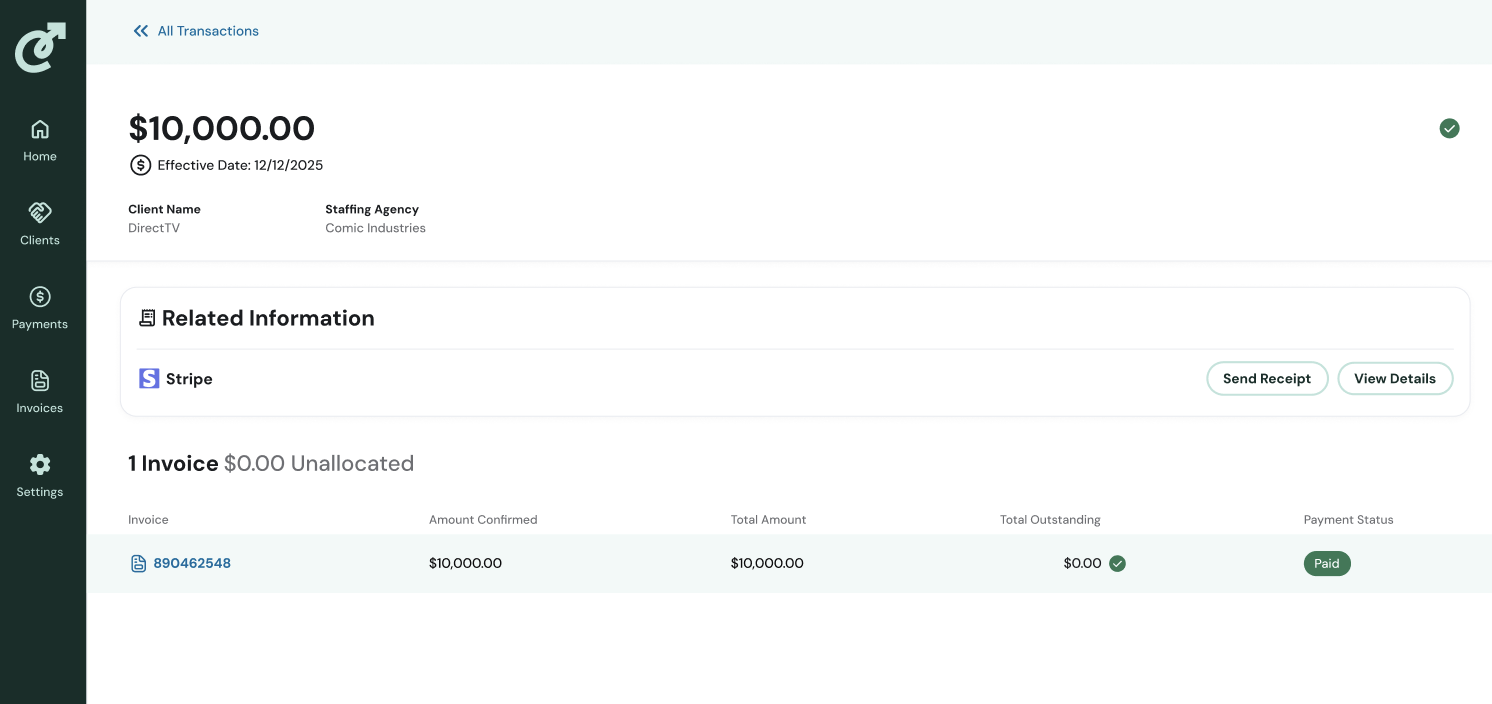
In the Related Information tile, locate the Stripe row and click Send Receipt.
In the Send Receipt pop-up, enter one or more email addresses.
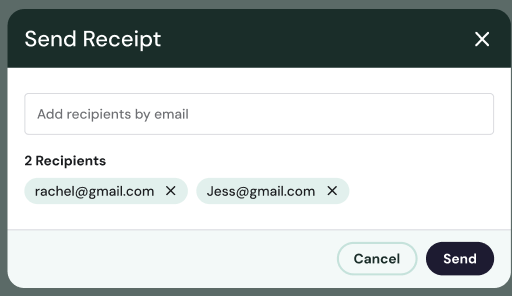
Click Send.
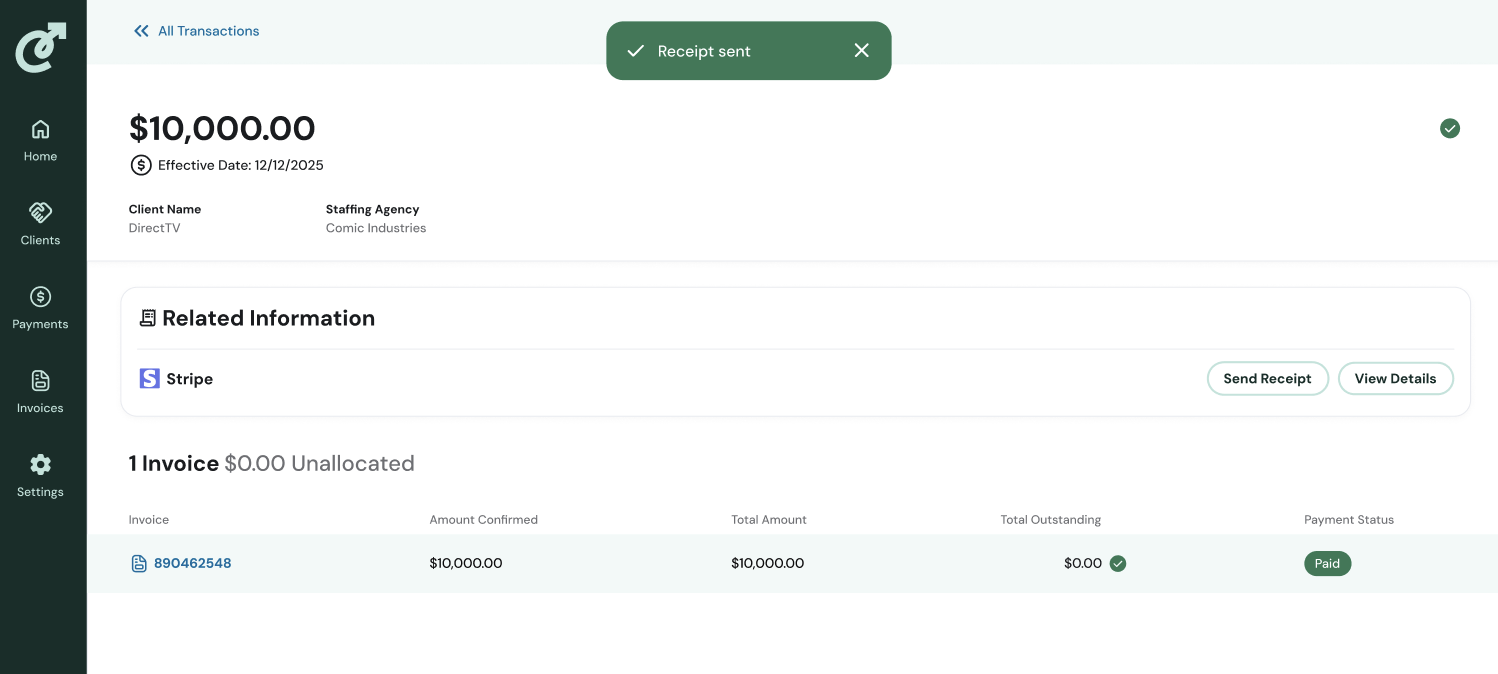
A "Receipt sent" message will confirm that the receipt has been delivered. The receipt is sent immediately — there is no delay or batching.
Note: The Send Receipt button is only available on Stripe transactions.