Activity Feed Visibility (Global Setting)
Last updated: April 22, 2026
Global settings give admins control over what invoice recipients can see across the organization. Enable or disable whether recipients can view the full recipient list for an invoice and any comments made by non-Cartwheel users — company-wide, in one place.
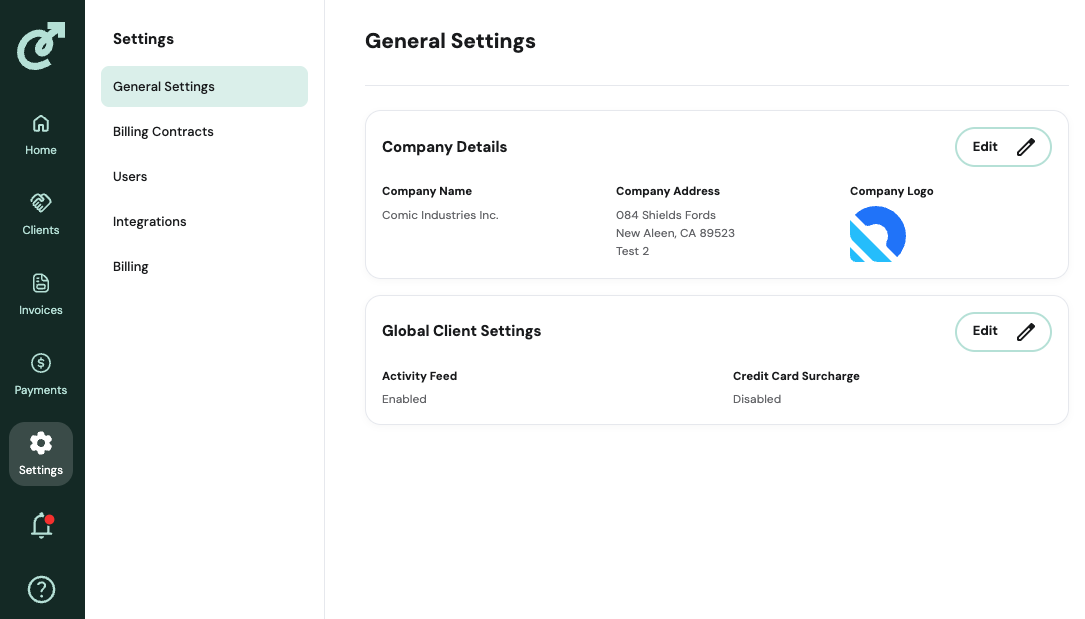
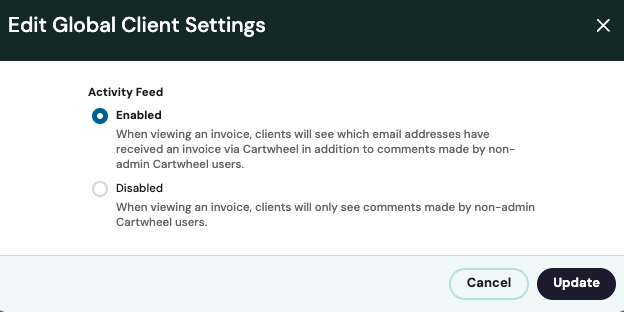
Start by navigating to the Settings tab. Under General Settings you will see Global Client Settings, which has Activity Feed and Credit Card Surcharge. Click Edit on the left to see a menu of radio buttons. Make your selection and click Update.
Options:
Enabled: When viewing an invoice, clients will see which email addresses have received an invoice via Cartwheel in addition to comments made by non-admin Cartwheel users.
Disabled: When viewing an invoice, clients will only see comments made by non-admin Cartwheel users.