Integration Management
Last updated: April 22, 2026
You can manage any of the currently available integrations connected to your account.
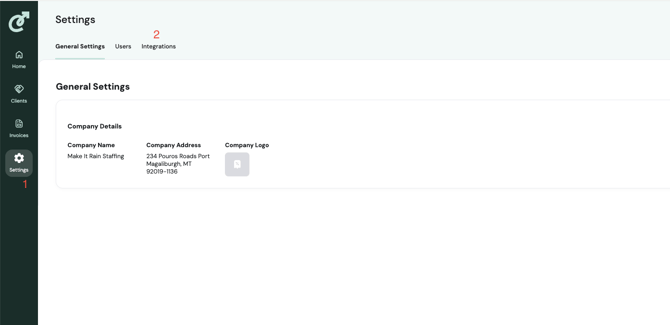
To reach integrations, you must first navigate to the settings page. Click the ‘Settings/Gear Icon’ in the Side Navigation to open the Settings Page.
From the Settings page, click the ‘Integrations’ Tab.
Now all your available integrations are displayed for management.
Note: If you do not see an integration or if you need assistance potentially setting up an integration, please contact your account manager.