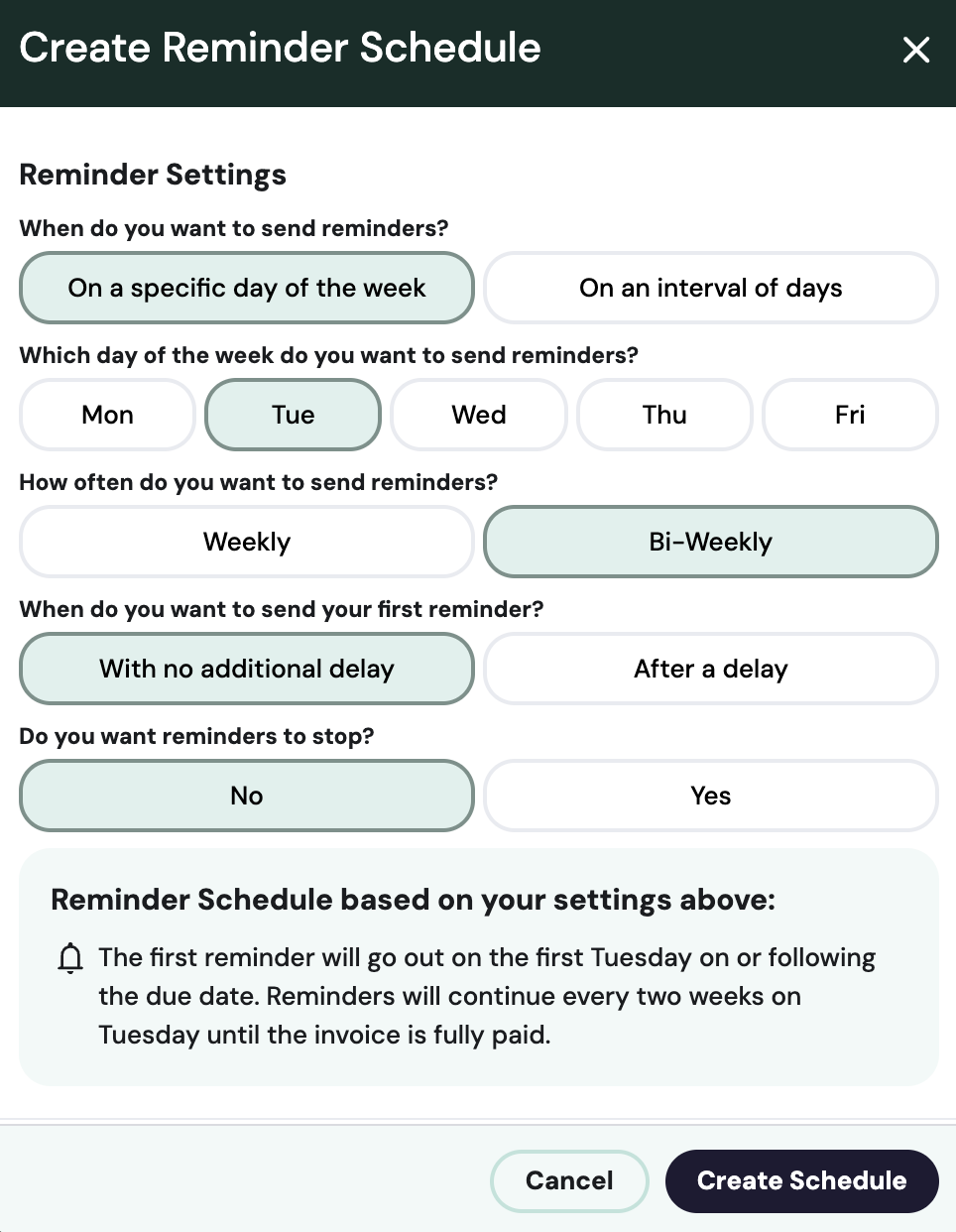
Reminder Settings
Last updated: April 21, 2026
Choose the reminder cadence that makes the most sense for your business. You can create reminder settings at any level–globally, by client, and by billing contract.
Global Settings
To create global settings, start by clicking on Settings in the navigation. Once in Settings, navigate to Billing Contracts, navigate down to the Reminder Setting section. Click the ••• on the far right.
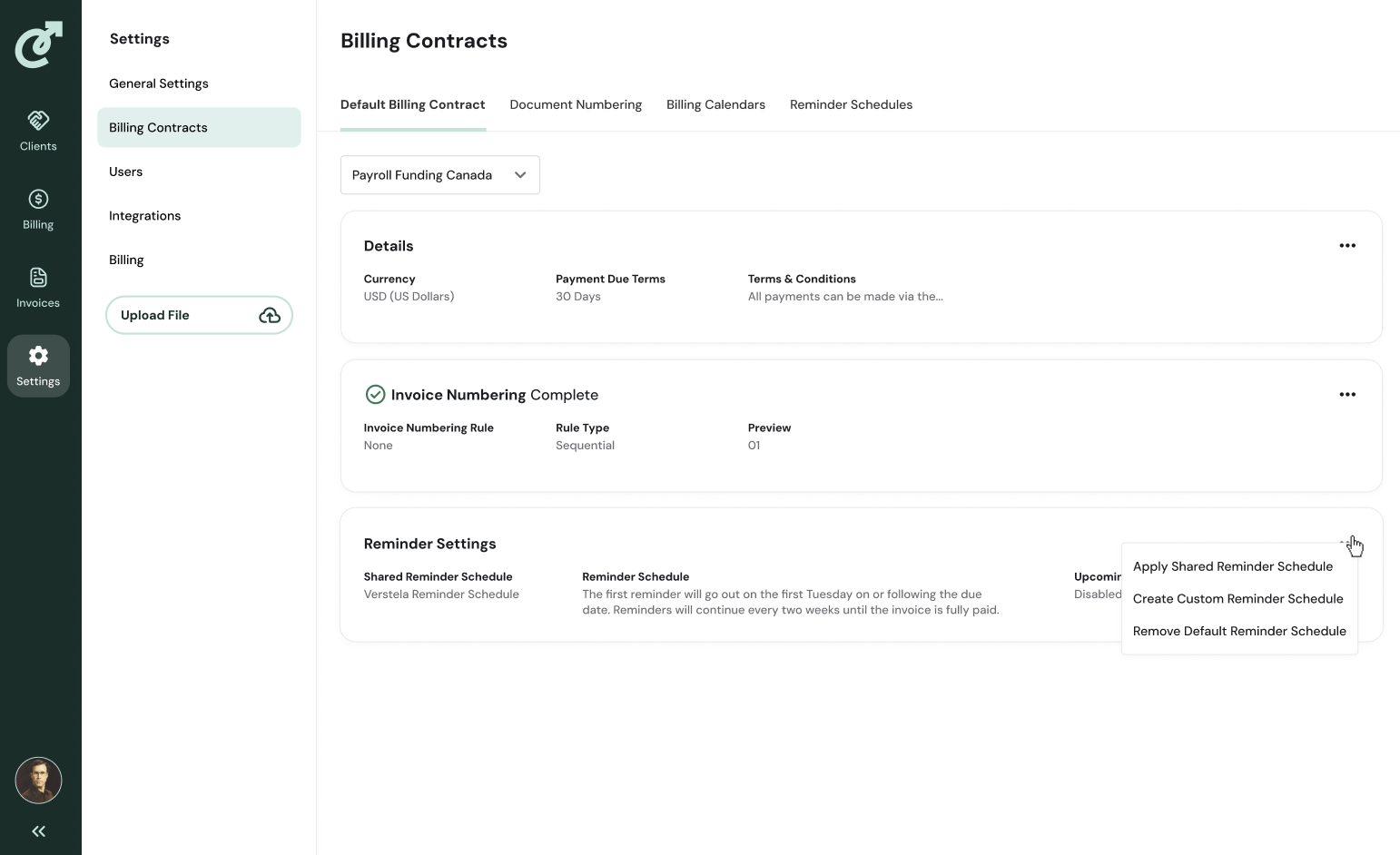
A menu will appear where you can select to: Edit, Apply Shared Reminder Schedule, Create Custom Reminder Schedule, or Remove Default Reminder Schedule. Click Create.
A dialog box will appear with options to customize your reminder schedule. Make your selections, and click Update.
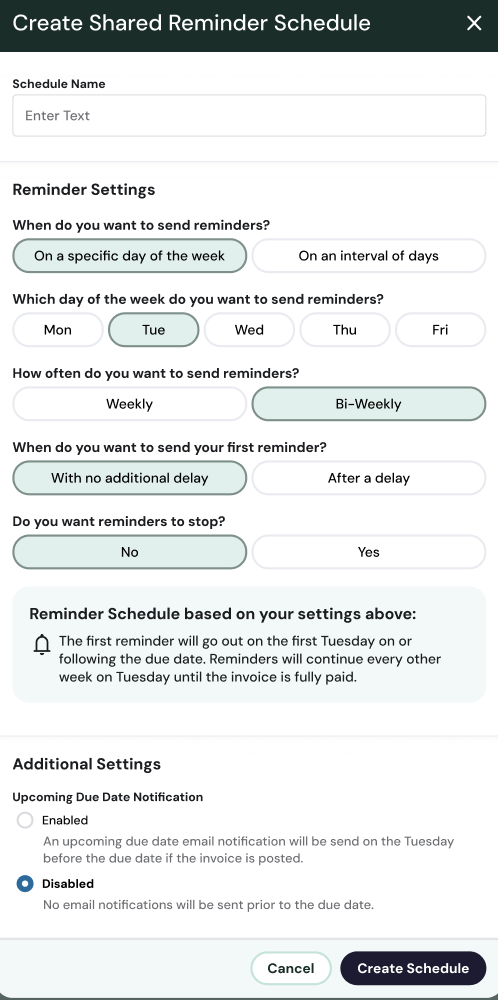
To edit these settings, repeat the steps, but click edit.
Client Settings
To apply a reminder schedule across a client or custom group of clients, first go to Settings, then Billing Contracts, then click Reminder Schedules from the top navigation under the header Billing Contracts.
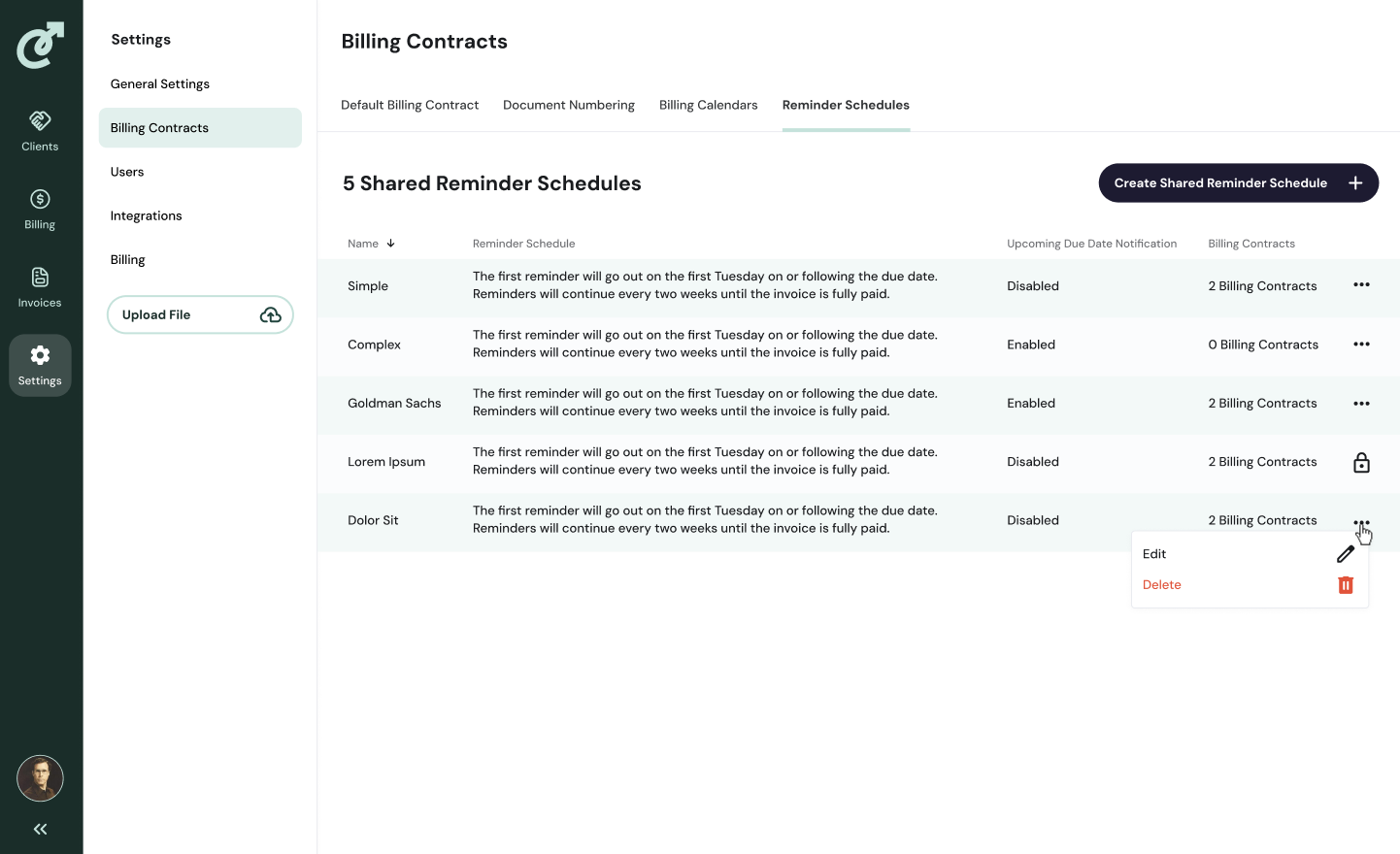
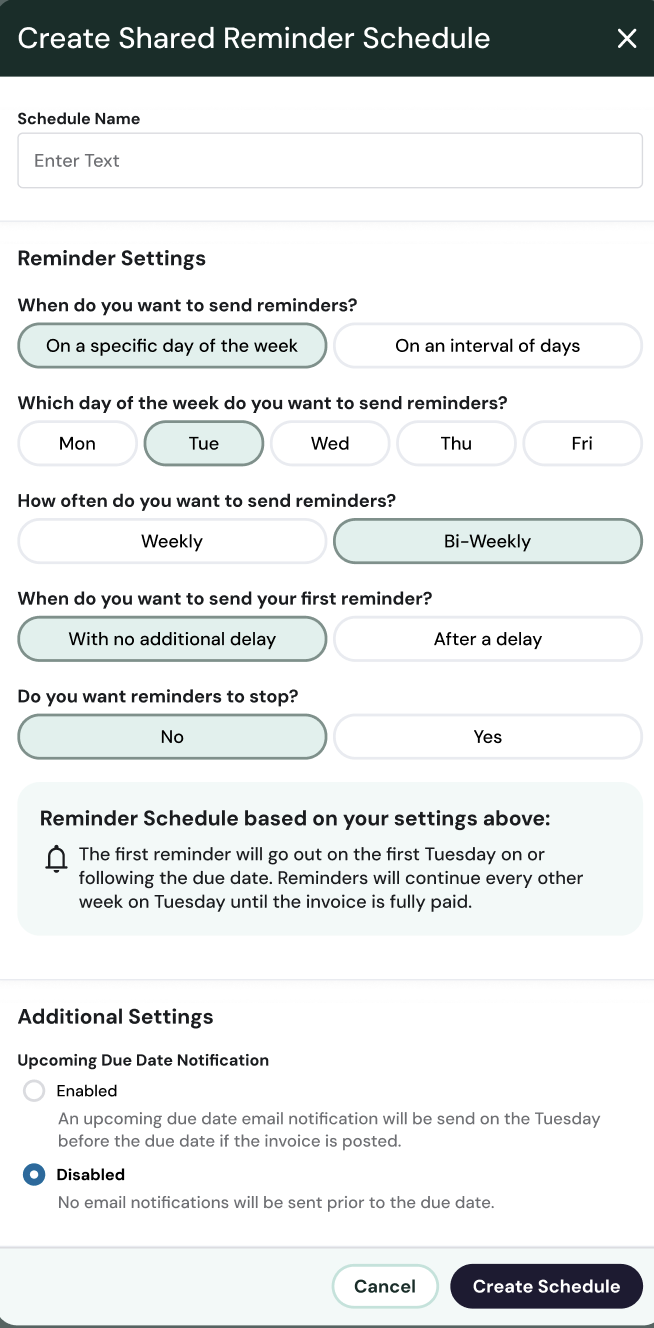
Click Create Shared Reminder Schedule. A dialog box will appear, where you can name your Schedule and select the appropriate settings. When you are finished, click Create Schedule.
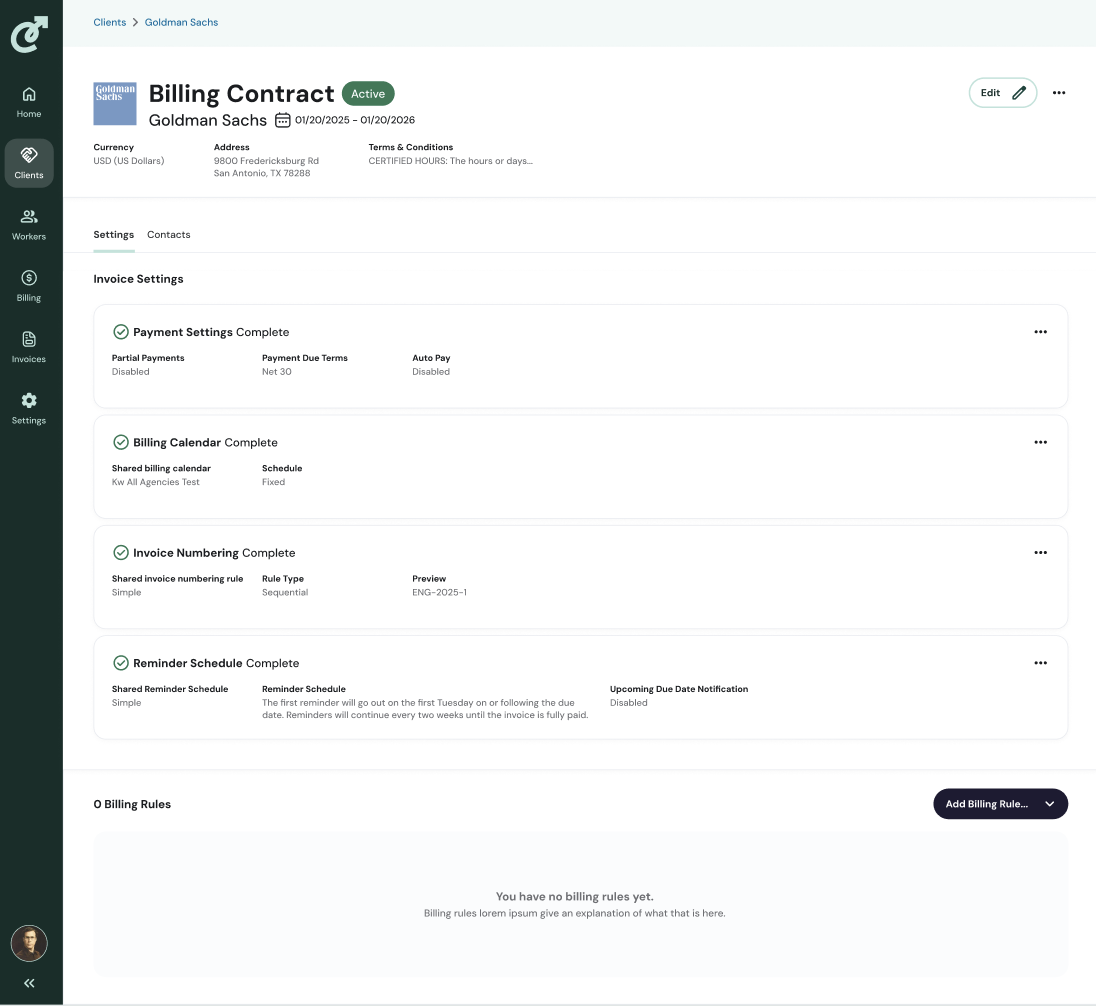
Next, navigate to Clients. Click on the client you want to apply the reminder schedule to, and select a billing contract. Once in the billing contract, click the ••• on the far right to either apply a shared reminder schedule or create one. Click Apply Shared Reminder Schedule.
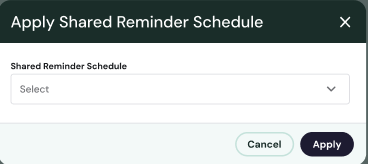
A dialog box will appear with a drop-down menu. The menu will display all your shared reminder schedules. Select the appropriate one and click Apply. Repeat this for each billing contract.
Billing Contract Settings
To create a custom reminder schedule for a client or specific billing contracts, start by navigating to the Client tab. Select a client. Click on the billing contract. Scroll down until you see the Reminder Schedule. To apply an existing reminder schedule or create a new one, click the ••• on the far right.
Click Create Customer Reminder Schedule. Choose the settings appropriate for that billing contract and click Create Schedule.