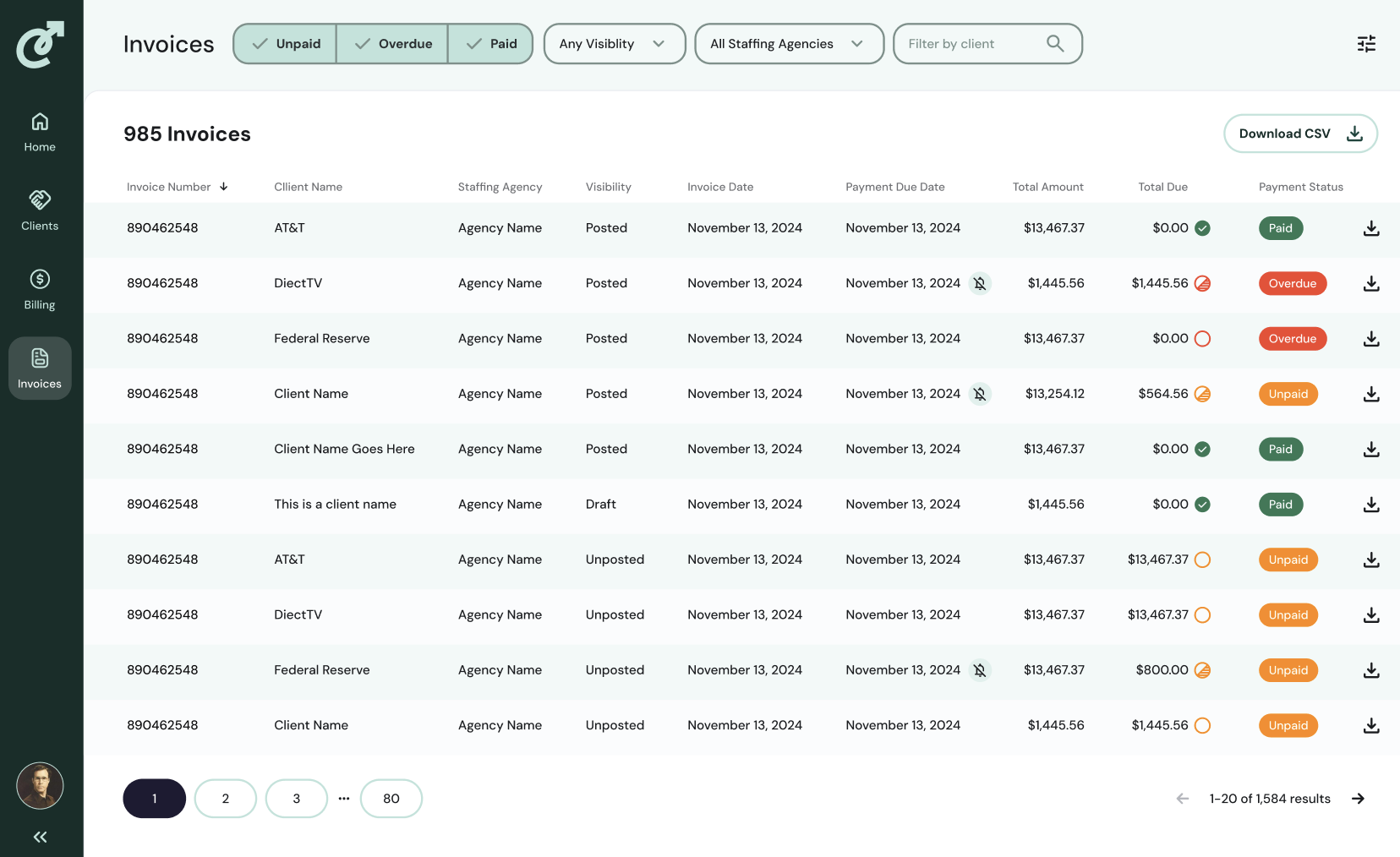
CSV Export
Last updated: April 21, 2026
Download Transaction and Invoice details as a CSV.
The export honors the filters you apply in Cartwheel, with headers that match Cartwheel's column labels for easy mapping, and a separate line for each invoice. Use these exports to manage actuals and report on aging.
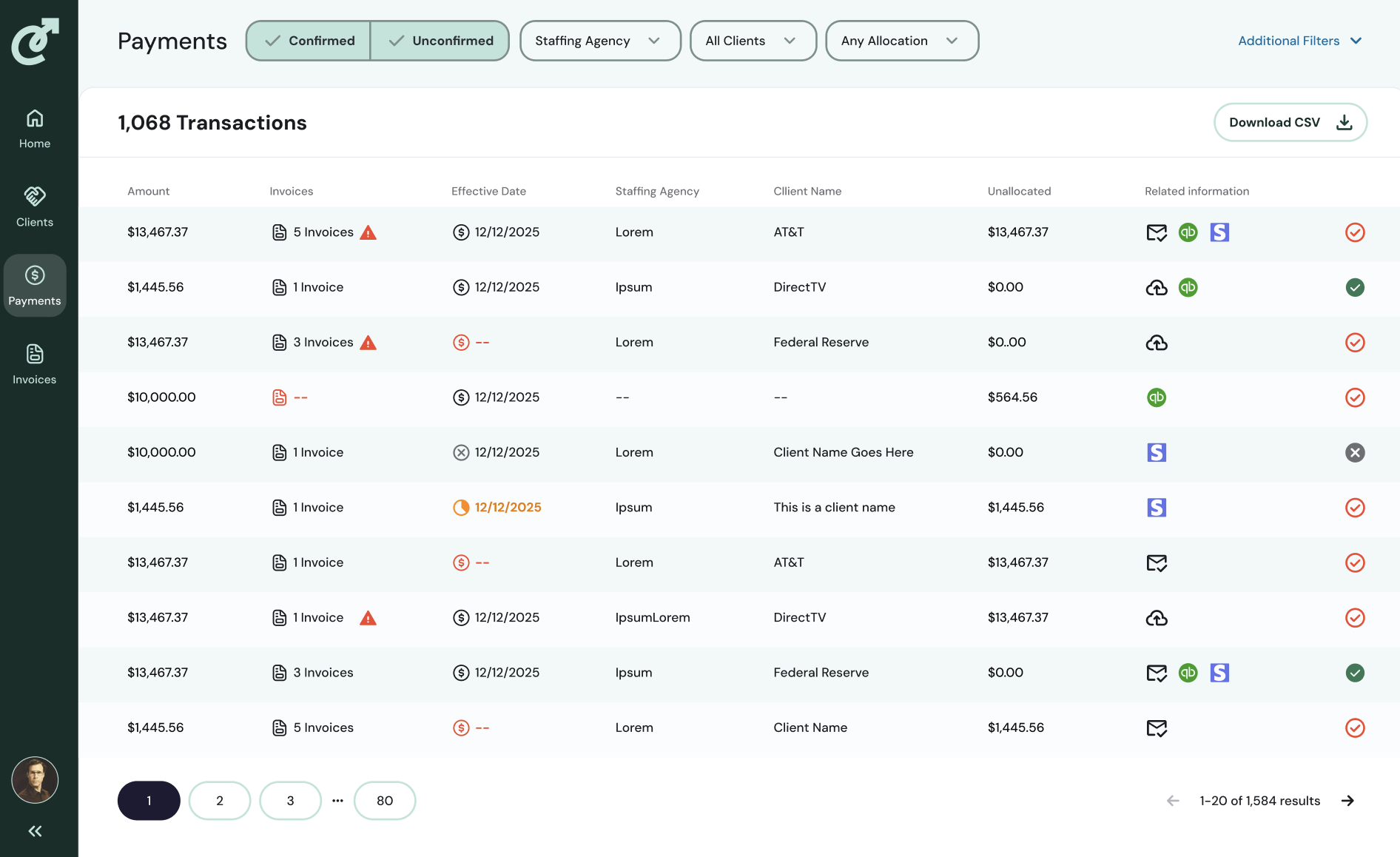
Transactions
Start by navigating to the Payments tab. Apply any filters that you want to achieve the appropriate data view. Click the Download CSV button on the upper left. Your CSV will automatically begin to download.
Invoices
Start by navigating to the Invoices tab. Apply any filters that you want to achieve the appropriate data view. Click the Download CSV button on the upper left. Your CSV will automatically begin to download.