Client Details Page
Last updated: April 21, 2026
The client details page is where you can manage all the details–billing contracts, contacts, and invoices. Navigate to the client details page by clicking on Clients in the navigation bar. See below for a detailed description of each element of the client detail page.
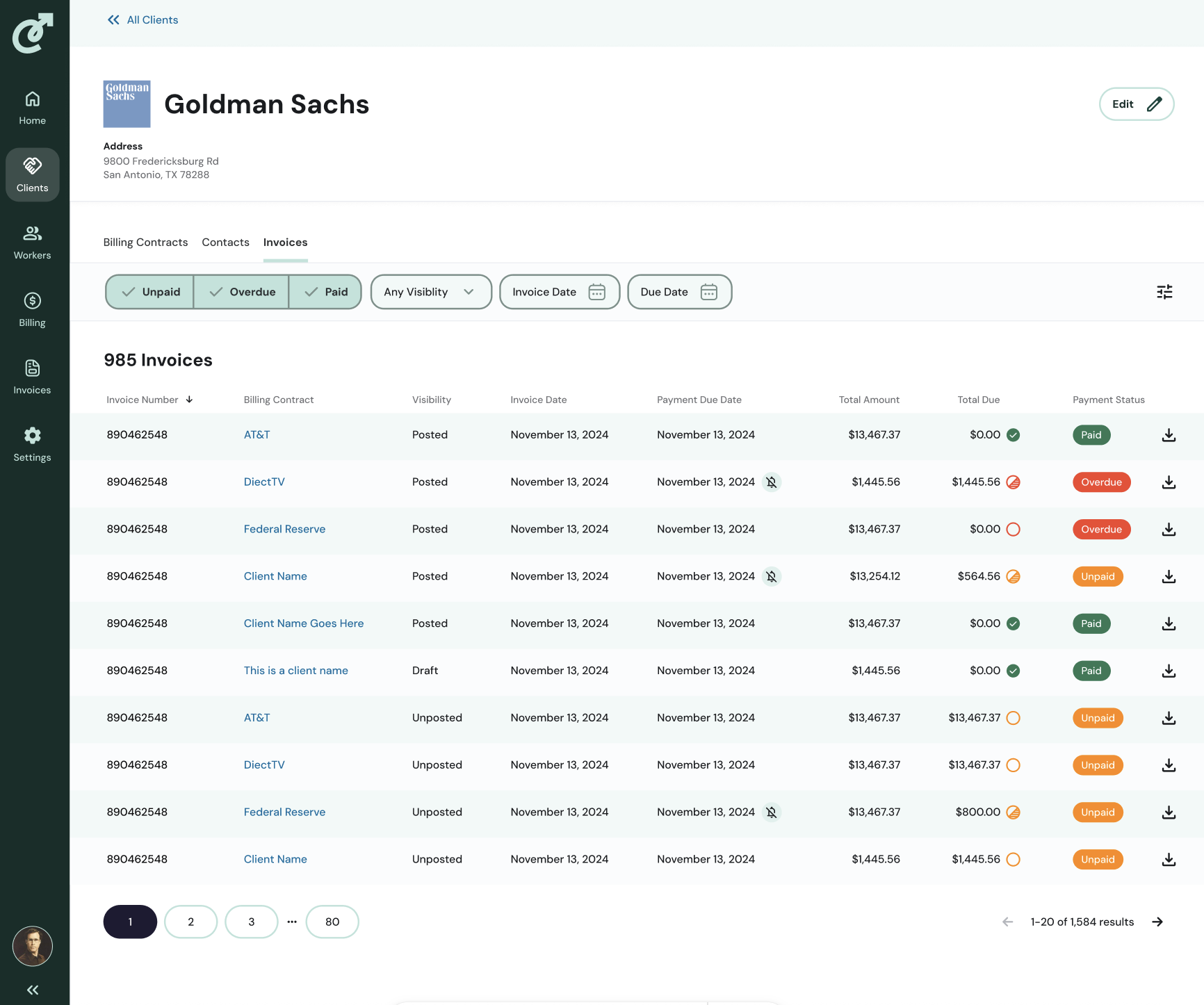
1. Client Name
The client name is displayed in the top left.
2. Address
The client address is displayed to the right of the staffing agency.
3. Edit Button
To edit the client name, staffing agency, address and logo, click the “Edit” button.
4. Billing Contracts Tab
The billing contracts tab displays all billing contracts associated with the client. For more detailed information on billing contracts, view the Billing Contracts article.
5. Contacts Tab
The contacts tab displays all the contacts attached to the client. For more detailed information on contacts, view the Contacts article.
6. Invoices Tab
The invoices tab displays all the invoices associated with the client.