Payments Tab Overview & Definitions
Last updated: August 17, 2026
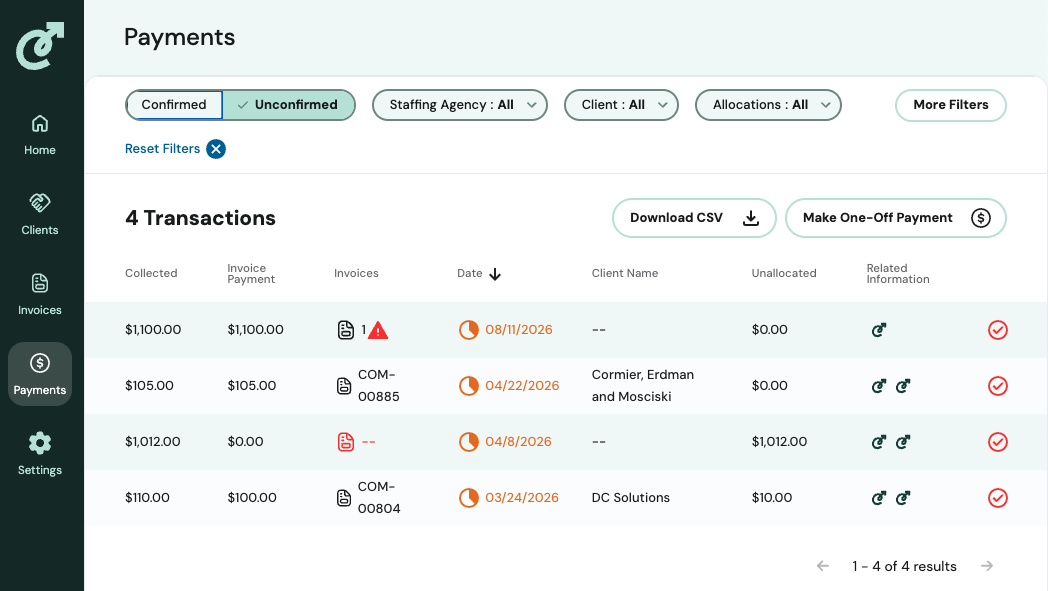
Clicking on the Payments tab of the navigation brings you to a summary view of all transactions (regardless of whether they occur via Stripe) giving you at-a-glance insights into:
Payment amount
The number of invoices correlated with the payment
The effective date
The agency name (if you have multiple entities)
The client name
Whether it was automatically allocated or not by displaying the unallocated amount
Other related information, like from where the payment data was received
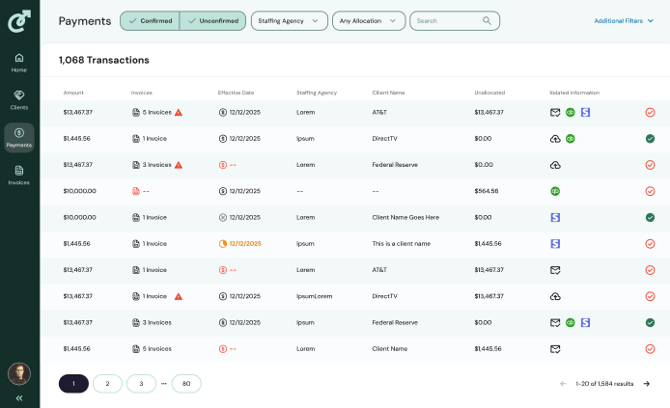
There are a few key ways to filter the data to quickly access the information you need to take action on. Some of the filters include:
Whether a payment is confirmed or unconfirmed
Filtering by Staffing Agency (only for parent companies)
By Client
By Allocation status (Any Allocation, Unallocated, Fully Allocated)
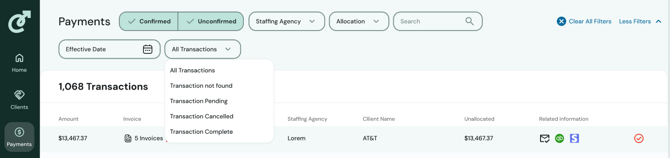
Effective Date
By Payment Status (All Transactions, Transactions not found, Transactions Pending, Transactions Canceled, Transactions Complete)
Definitions
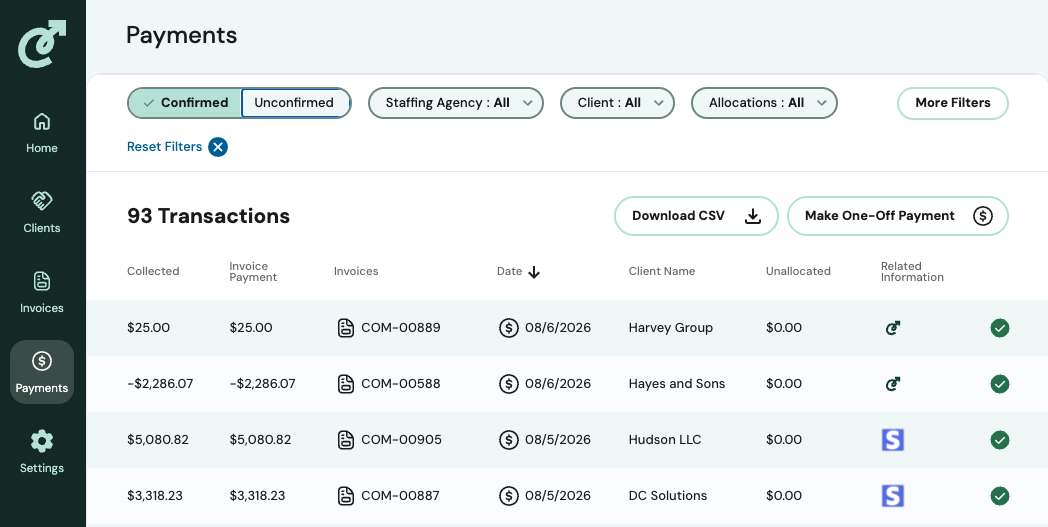
Confirmed: A transaction is confirmed when it is automatically and confidently matched to an invoice. It will have the necessary and related information attached and display a green check mark.
Unconfirmed: A payment is unconfirmed when it cant be automatically and confidently matched to an invoice–for example, a short pay, overpayment, duplicate payment, missing remittance, or unmatched invoice. In some organizations, Unconfirmed is equivalent to an exception. It will display as a red check mark.