Recording a Refund in Cartwheel
Last updated: August 17, 2026
Use this when payment needs to be returned to the client rather than allocated to another invoice.
Before you start
Refunds are currently recorded at the invoice level, not the payment/transaction level.
Steps
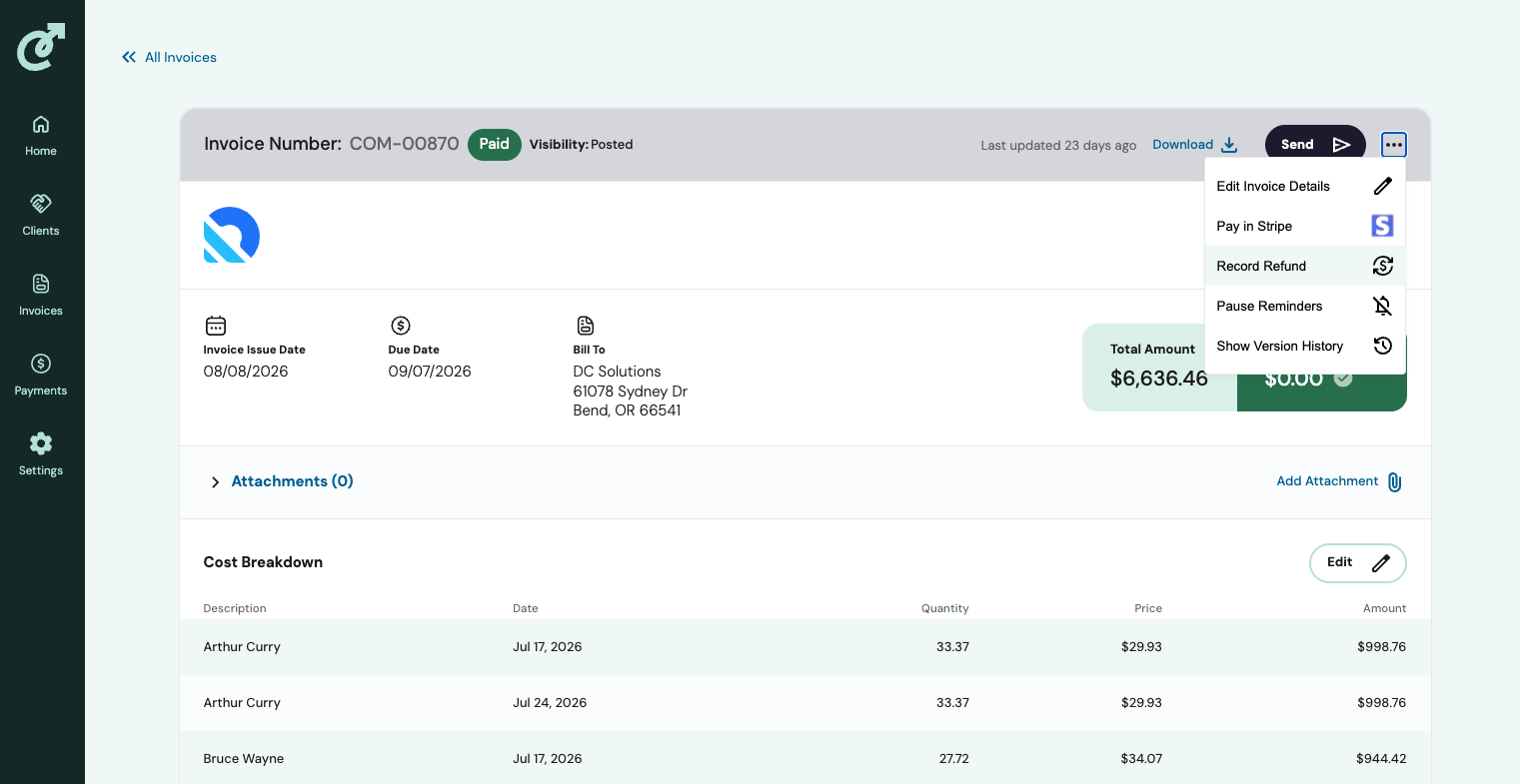
Navigate to the invoice that has been overpaid (or received duplicate payment)
Click the three-dot (⋯) menu at the top of the invoice.
Select Record Refund.
Enter the refund amount:
Select the full overpaid/duplicate amount if refunding it in full, or
Choose Other Amount and enter a custom amount for a partial refund.
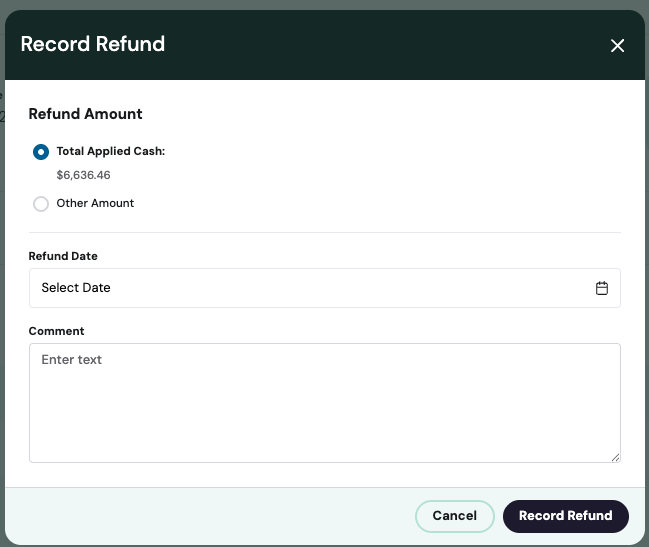
Select the date of the refund.
Enter a description/note explaining the reason for the refund (helpful for future reference/audit).
Save. The refund is now recorded against the invoice.