Transfer Credit
Last updated: August 17, 2026
If you have credit for a client (via overpayment, duplicate payment), you are able to apply the credit to other open invoices. Here's how to transfer credit:
Start by navigating to the invoice with an existing credit
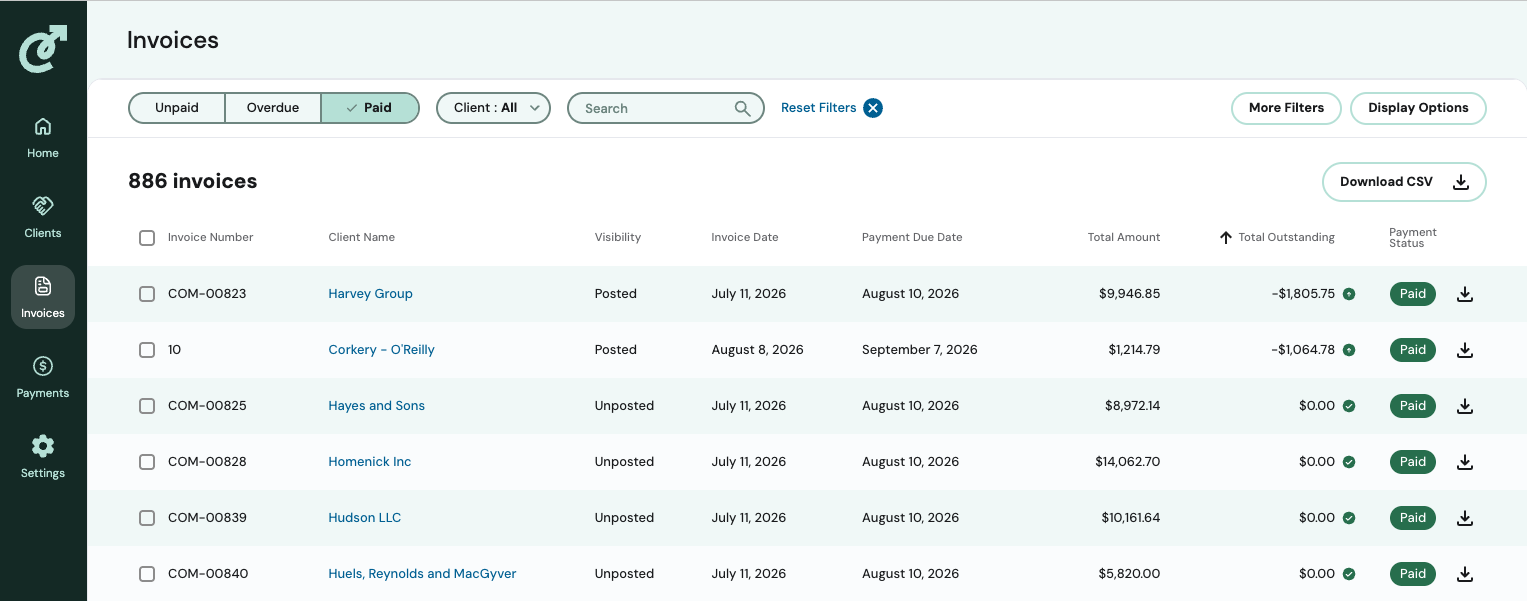
Click on the invoice
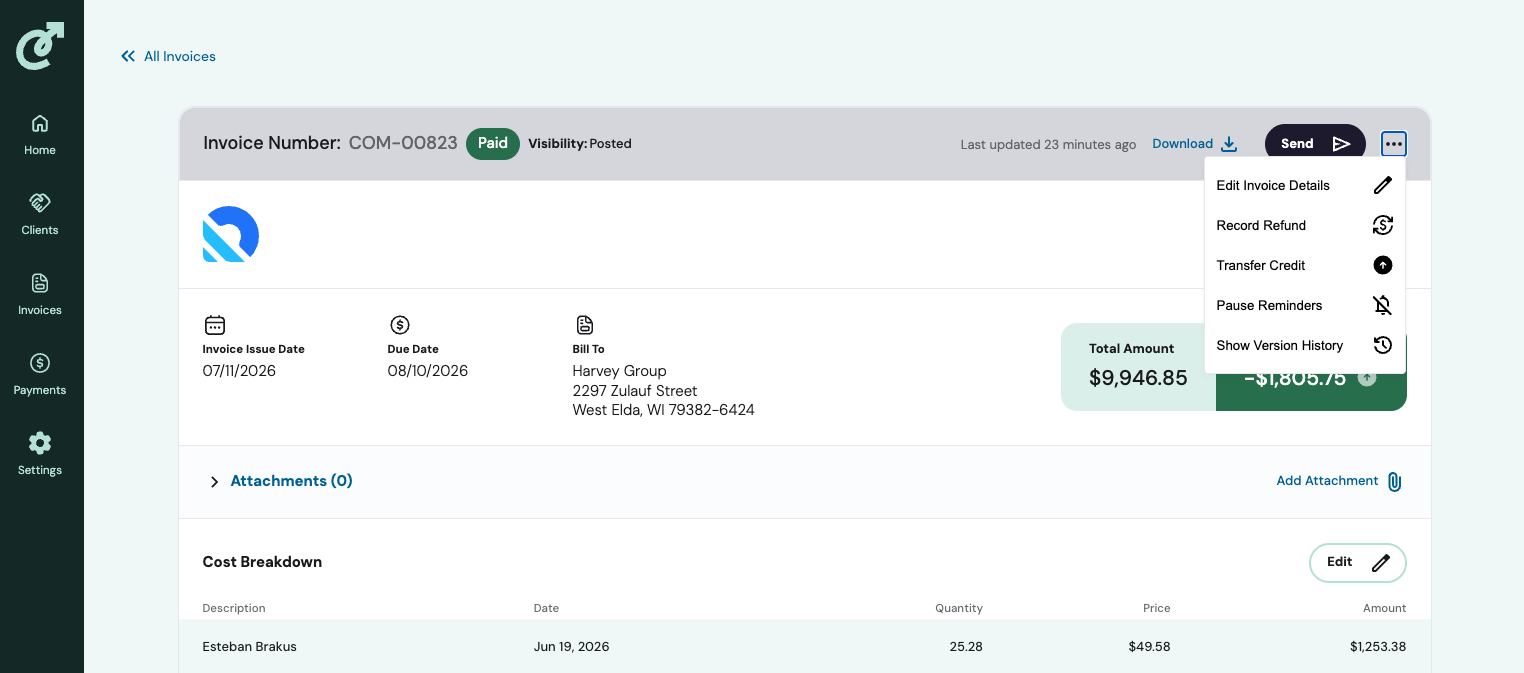
Click on the three dots for more options, and select Transfer Credit
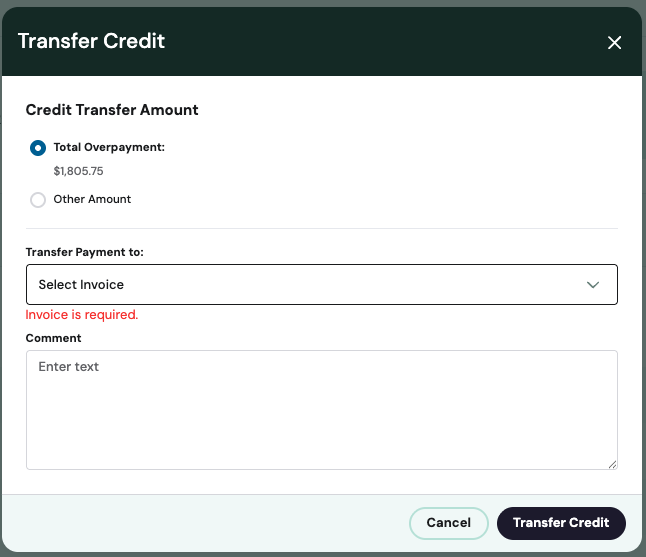
A pop-up box will appear with the options to apply the total overpayment or a portion of it, a drop-down with unpaid invoices, and the comment box. Complete the sections and click Transfer Credit.
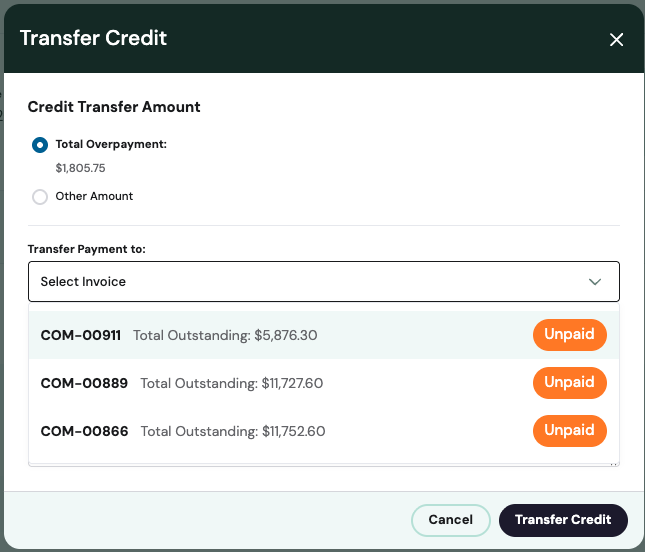
With the drop-down invoice selection